> For the complete documentation index, see [llms.txt](https://hertzflow.gitbook.io/hertzflow-docs/llms.txt). Markdown versions of documentation pages are available by appending `.md` to page URLs; this page is available as [Markdown](https://hertzflow.gitbook.io/hertzflow-docs/tutorials/trading.md).
# Trading
Step-by-step: select a market, place an order, and manage your positions.
{% stepper %}
{% step %}
## **Select a market**
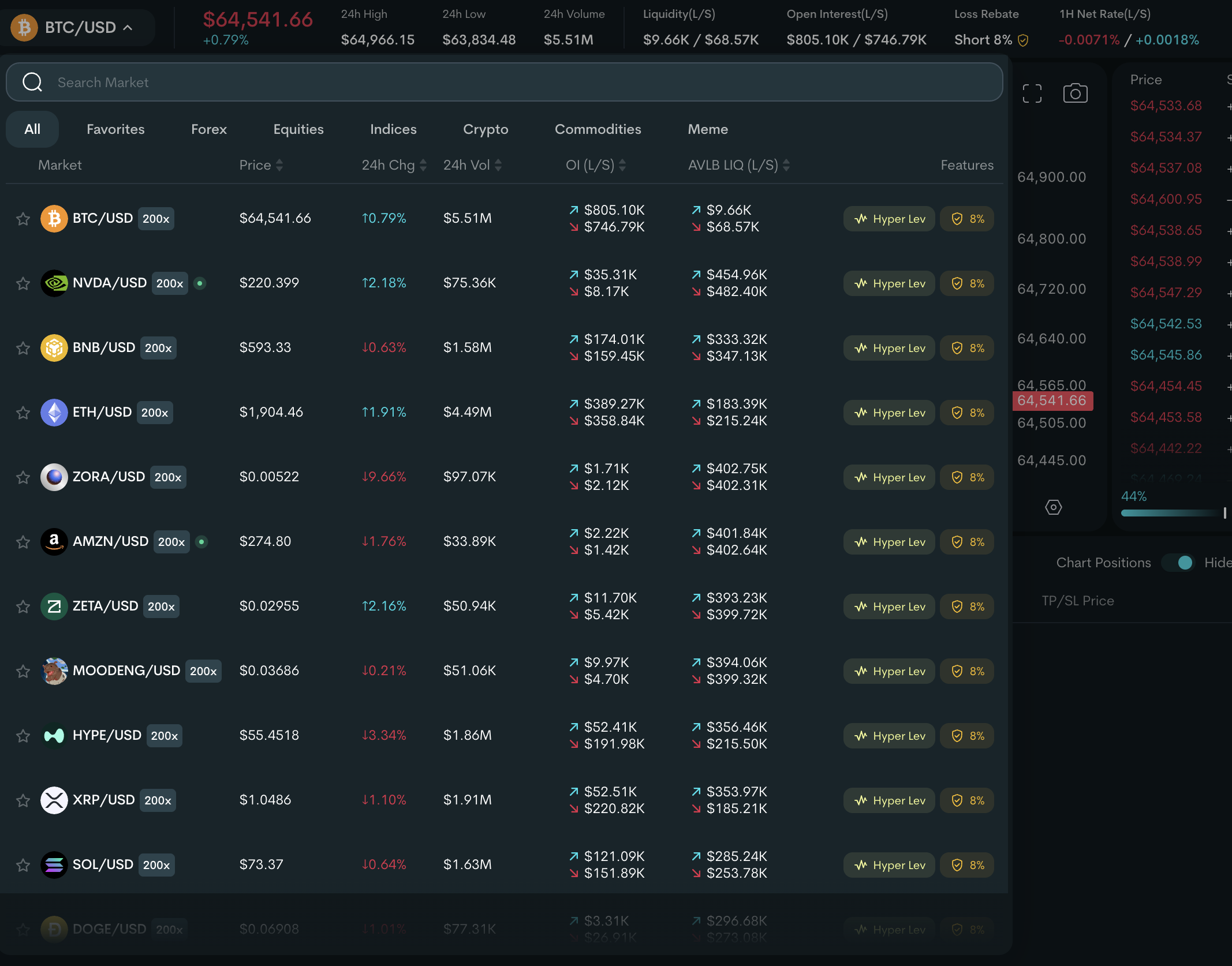
Click the **Market dropdown** in the top navigation. Browse available markets or search by name. Filter by asset class: Crypto, Forex, Equities, Indices, Commodities, or Meme.
Each market shows you:
| Data | What It Means |
| ----------------------------- | --------------------------------------- |
| **Mark Price** | Current oracle price with 24h change |
| **24h High/Low** | Price range over the last 24 hours |
| **Available Liquidity (L/S)** | Room for new long and short positions |
| **Open Interest (L/S)** | Total active positions per side |
| **1h Net Rate (L/S)** | Combined funding + borrow rate per hour |
{% hint style="info" %}
A red dot next to a market means **Market Closed** — it's temporarily unavailable during off-market hours (applies to some real-world assets like equities).
{% endhint %}
{% endstep %}
{% step %}
## **Choose your mode (Normal / Hyper Lev)**
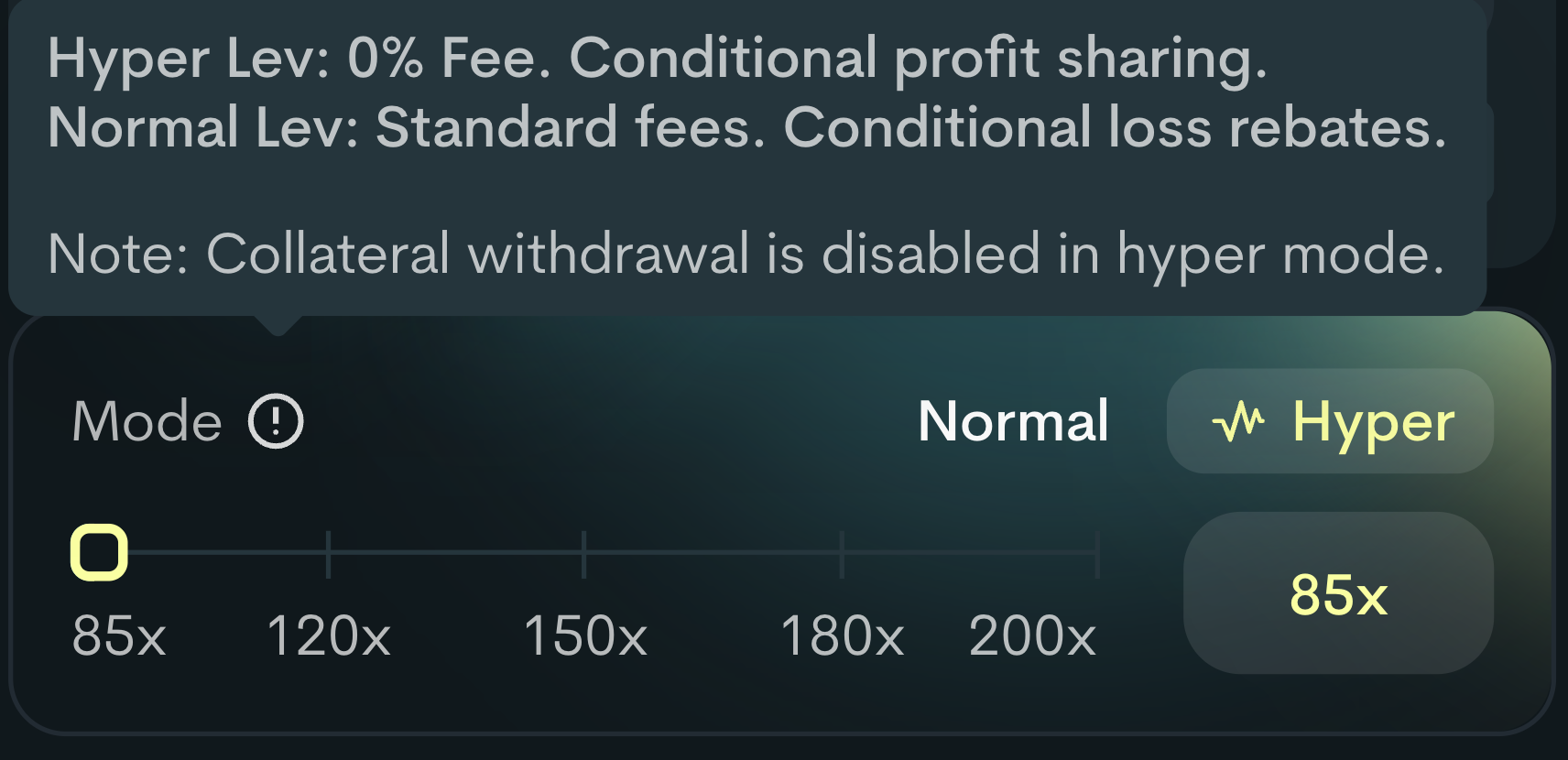
On supported markets, a **Normal / Hyper** toggle appears above the leverage slider:
* **Normal** — standard mode with open/close fees and the full leverage range
* **Hyper** — zero open/close fees in exchange for a profit share; higher, narrower leverage range and a mandatory stop loss
If a market doesn't show the **Hyper** toggle, it supports Normal mode only. Switching modes resets the leverage slider to the new mode's minimum.
{% hint style="info" %}
See [Hyper Leverage](/hertzflow-docs/trade-on-hertzflow/hyper-lev.md) for profit-sharing tiers, the mandatory stop-loss range, and when Hyper Lev is worth it.
{% endhint %}
{% endstep %}
{% step %}
## **Place your order**
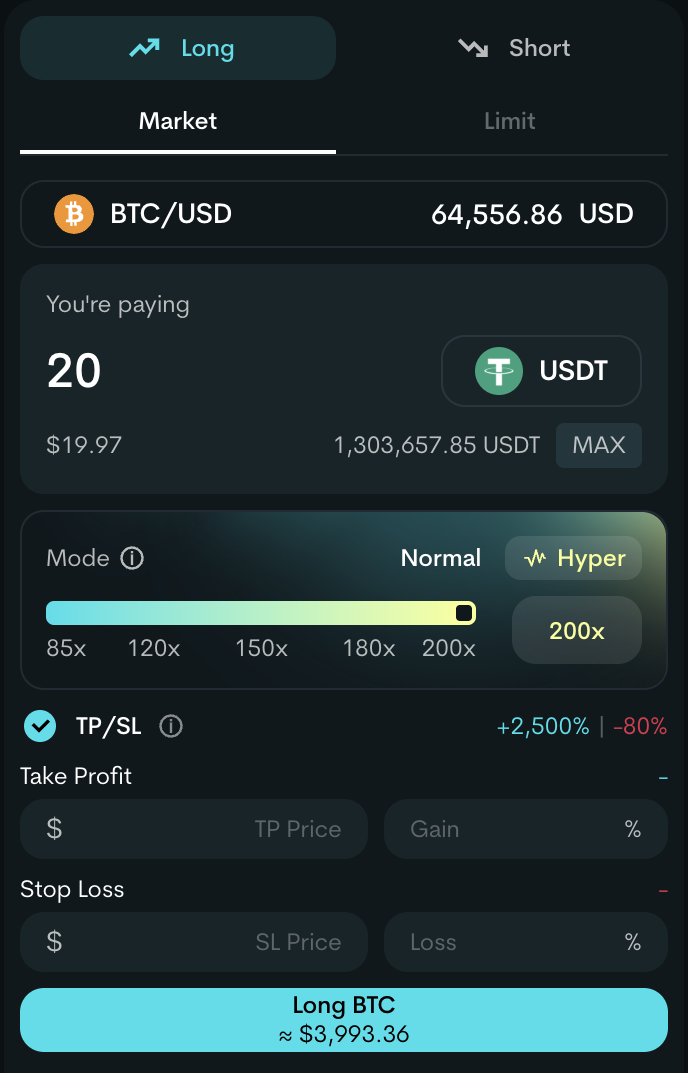
Configure your trade:
* **Mode:** Choose between **Normal** and **Hyper Lev**:
* **Hyper Lev** — zero open/close fees; you share a portion of profits instead. Market orders only. Collateral withdrawal and limit orders are disabled. Higher leverage range with greater liquidation risk, but higher return potential. Proceed with caution.
* **Normal** — standard fees on open/close. Supports market and limit orders. Eligible for loss rebates on the weaker side of OI skew.
* **Side:** Long (expect price to rise) or Short (expect price to fall)
* **Order type:**
* **Market** — execute now at current price
* **Limit** (Normal mode only) — execute at your specified price or better
* **Collateral:** Minimum 10 USDT
* **Leverage:** Varies by mode and asset class (slider adjusts automatically when you switch modes)
* **Position Size:** Calculated automatically: Collateral × Leverage
* **Take Profit / Stop Loss:** Set your exit targets when opening, or add them later from the Positions tab.
* **TP** is capped at **+2500% PnL** across both modes
* **SL** in Normal mode: capped at **−80% PnL** (no minimum)
* **SL** in Hyper Lev mode: must be between **−80%** and **−30% PnL** (mandatory dual-bound)
### Review before confirming
| Field | What to Check |
| ---------------------- | ------------------------------------------------------------------ |
| **Entry Price** | Live mark price for market orders; your set price for limit orders |
| **Est. Liq. Price** | The price at which your position will be force-closed |
| **Fee Breakdown** | Hover for details: open fee, borrow fee, funding fee, price impact |
| **Slippage Tolerance** | Max price difference you'll accept between quote and execution |
{% hint style="info" %}
Higher slippage tolerance increases your chance of execution during volatile markets, but allows a larger price deviation from your expected entry.
{% endhint %}
{% endstep %}
{% step %}
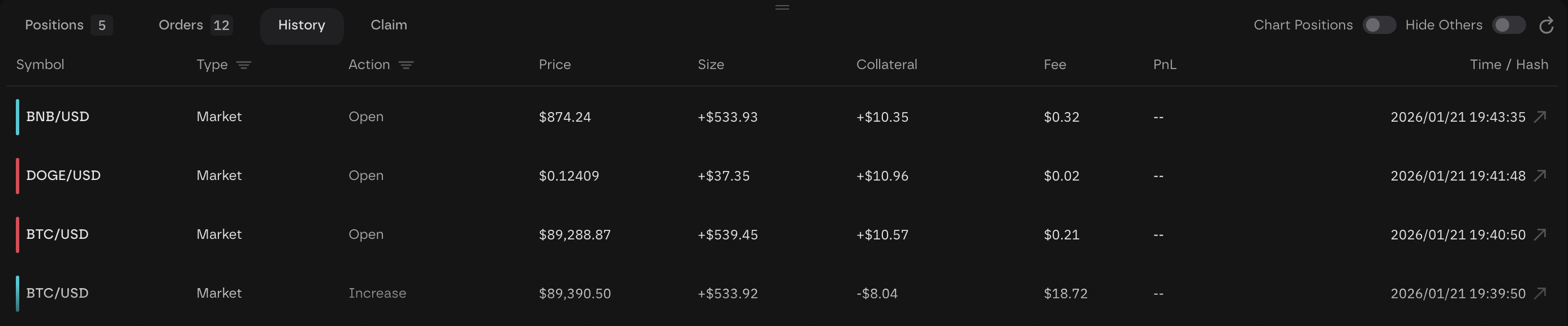
## **Track your orders**
**Positions** — view all open positions. From here you can edit collateral, close (full or partial), or share position details.
**Orders** — shows pending orders that haven't filled yet. You can edit limit/trigger prices or cancel orders here.
**History** — archive of all your fully executed trades.
**Claim** — price impact settles at close, capped at 50 bps. When the net impact exceeds the cap, the portion above 50 bps is collected at settlement and returned to a claimable balance. After closing your position, click **Claim All** to reclaim it, or claim specific fee types individually.
{% endstep %}
{% step %}
## **Manage your positions**
### Edit Collateral
Add or remove collateral without changing your position size:
* **Adding collateral** → moves liquidation price further away, expands TP/SL boundaries
* **Removing collateral** → moves liquidation price closer, may invalidate existing TP/SL orders
* **Limits:** Deposit ≥ 10 USDT; residual must stay above 10 USDT; leverage must stay within min/max bounds
### Increase a Position
Open another order in the same direction on the same market. The system merges them automatically — entry price recalculates as a weighted average, leverage adjusts to the new collateral.
### Reduce or Close a Position
Click **Close** on any position. Choose **Market** (immediate) or **Trigger Price** (TP/SL):
* **Keep Leverage Off (default):** Reduces position size while maintaining collateral — effectively deleverages you
* **Keep Leverage On:** Reduces size and collateral proportionally — keeps your leverage ratio the same
{% hint style="info" %}
If your position is liquidated, a liquidation fee of 20 bps (0.20%) is charged and remaining collateral (if any) is returned to your wallet.
{% endhint %}
{% endstep %}
{% step %}
## **Edit orders**
You can set TP/SL when opening a position, or add, modify, and cancel them at any time from the **Positions** tab while your position is open.
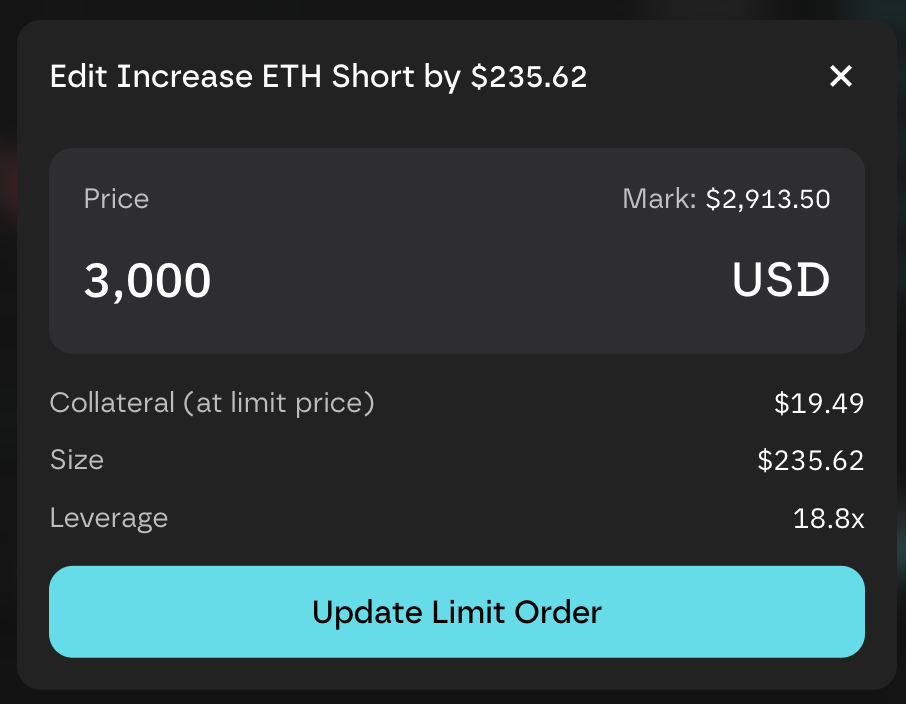
Click the **edit icon** next to any order to modify limit or TP/SL trigger prices without canceling:
* **Limit orders:** Must be favorable to current mark price
* **TP orders:** Must be within the **+2500% PnL** cap
* **SL orders (Normal mode):** Must be within the **−80% PnL** cap
* **SL orders (Hyper Lev mode):** Must be between **−80%** and **−30% PnL**
**Trigger orders** (close only) activate when the mark price reaches your set trigger price, then execute as a market order. Unlike limit orders, trigger orders prioritize execution certainty over exact price — some slippage is possible.
To remove orders, click the **cancel icon** on the order row, or **Cancel All** to clear everything.
{% hint style="info" %}
Canceling a limit order returns your reserved collateral. Canceling a TP/SL order just removes the trigger — your position stays open.
{% endhint %}
{% endstep %}
{% endstepper %}
---
# Agent Instructions
This documentation is published with GitBook. GitBook is the documentation platform designed so that both humans and AI agents can read, navigate, and reason over technical content effectively. Learn more at gitbook.com.
## Querying This Documentation
If you need additional information that is not directly available in this page, you can query the documentation dynamically by asking a question.
Perform an HTTP GET request on the current page URL with the `ask` query parameter, and the optional `goal` query parameter:
```
GET https://hertzflow.gitbook.io/hertzflow-docs/tutorials/trading.md?ask=&goal=
```
`ask` is the immediate question: it should be specific, self-contained, and written in natural language.
`goal` is optional and describes the broader end goal you are ultimately trying to accomplish on behalf of the user. GitBook uses it to tailor the answer towards what is most useful for that goal.
The response will contain a direct answer to the question and relevant excerpts and sources from the documentation.
Use this mechanism when the answer is not explicitly present in the current page, you need clarification or additional context, or you want to retrieve related documentation sections.